Private Integrations is designed to improve the security and functionality of your account integrations. By moving beyond the limitations of API keys, it offers a more robust, secure, and manageable solution.
Key Features
- Enhanced Security: Account users can restrict the scopes and permissions that a developer can access on their accounts, providing a higher level of security compared to API keys.
- Feature-Rich: Private Integrations grant access to API v2.0, which includes more API features and Webhooks, expanding the possibilities for custom integrations.
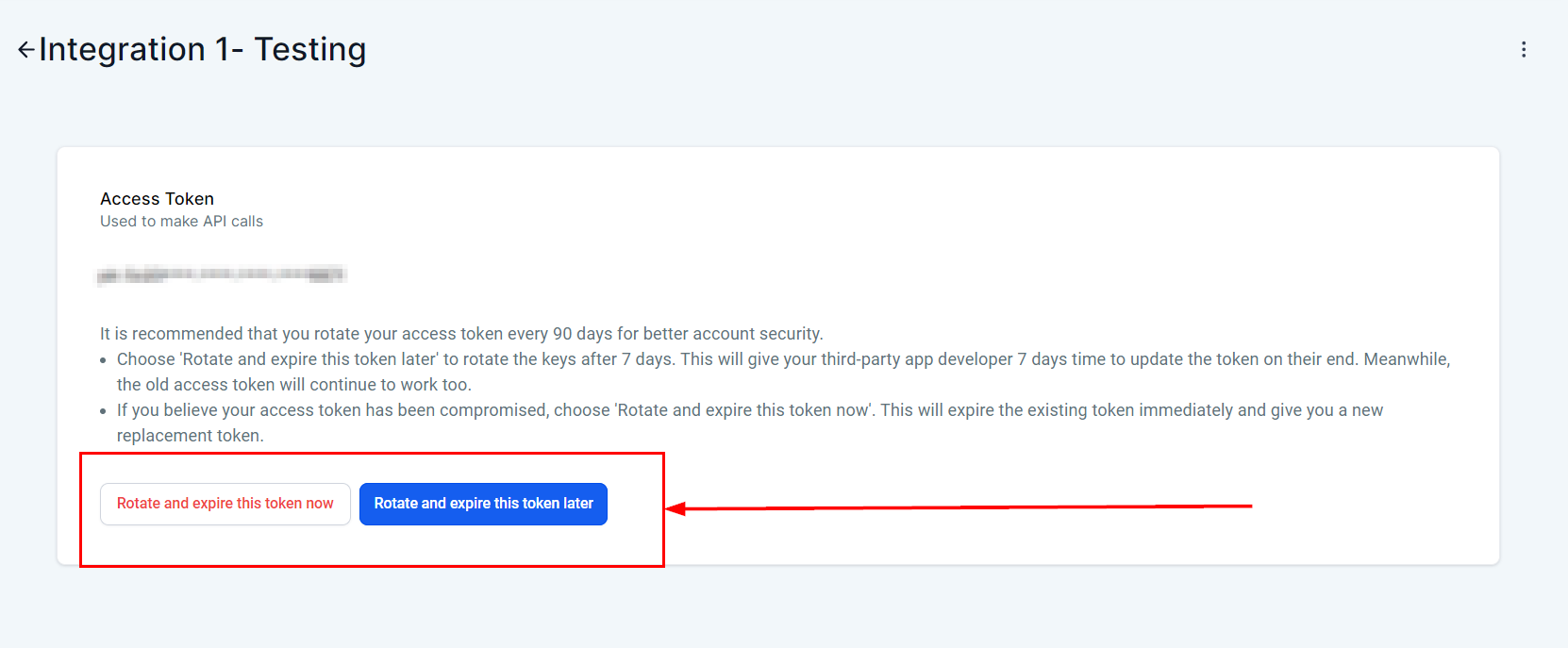
- Ease of Management: The feature includes token management best practices such as 'Rotate and Expire Now/Later,' making it easier for you to manage your integrations securely and efficiently.
Why Private Integrations is Necessary
The main goal of Private Integrations is to help customers move from custom integrations built on API v1 to the more advanced and secure API v2. This transition ensures better security, functionality, and management of custom integrations.
Creating the Private Integration
To create a new private integration, go to the Settings tab in your account. From the sidebar menu, select Private Integrations, then click Create New Integration to get started.

Configuring the Integration
- Integration Name: Give your integration a meaningful name to identify it easily.
- Description: Provide a brief description of what the integration will do.

- Scopes: Define the scopes and permissions the third-party application will have access to. This keeps things secure and limits access to only what's needed.

Generating Access Token
- Once you've configured the integration, click Generate Access Token. This token is what the third-party application uses to connect to your account.
- Make sure you copy and store the access token somewhere secure, as it won't be displayed again.

Testing the Integration
- Use the access token to connect your third-party application with the CRM.
- Test the integration to confirm it's working as expected and has the correct permissions.
Managing the Integration
- You can manage your integration tokens from the Integrations tab.
- Use features like Rotate Now to generate a new token or Expire Now to immediately invalidate a token.
Frequently Asked Questions (FAQs)
Q: How do Private Integrations improve security compared to API keys?
- Private Integrations allow sub-account users to restrict the scopes and permissions that developers can access, reducing the risk of unauthorised access and enhancing overall security.
Q: What are the benefits of accessing API v2.0 through Private Integrations?
- API v2.0 includes more features and Webhooks, providing greater functionality and flexibility for custom integrations compared to API v1.
Q: How can I manage my integration tokens effectively?
- Private Integrations include token management features such as 'Rotate and Expire Now/Later,' enabling users to follow security best practices and maintain control over their integration tokens.
Troubleshooting Tips
- Verify Permissions: Ensure that the correct scopes and permissions are set for developers accessing your account to prevent unauthorised access.
- Regular Token Rotation: Regularly rotate your integration tokens using the 'Rotate Now' feature to enhance security.
- Monitor Token Activity: Keep an eye on token usage and use the upcoming auto-expire feature to automatically disable inactive tokens.