Contents
People hear "workflow" and picture something from NASA.
Most of the good ones are three boxes long. 😀
Here are eight real ones we build for clients, from dead simple to properly clever. Every one of them is built in the same place: the CRM. No bolting five apps together, no paying for a separate tool for each job.
Quick refresher: every workflow is when this happens (trigger) → check something (optional) → do that (action).
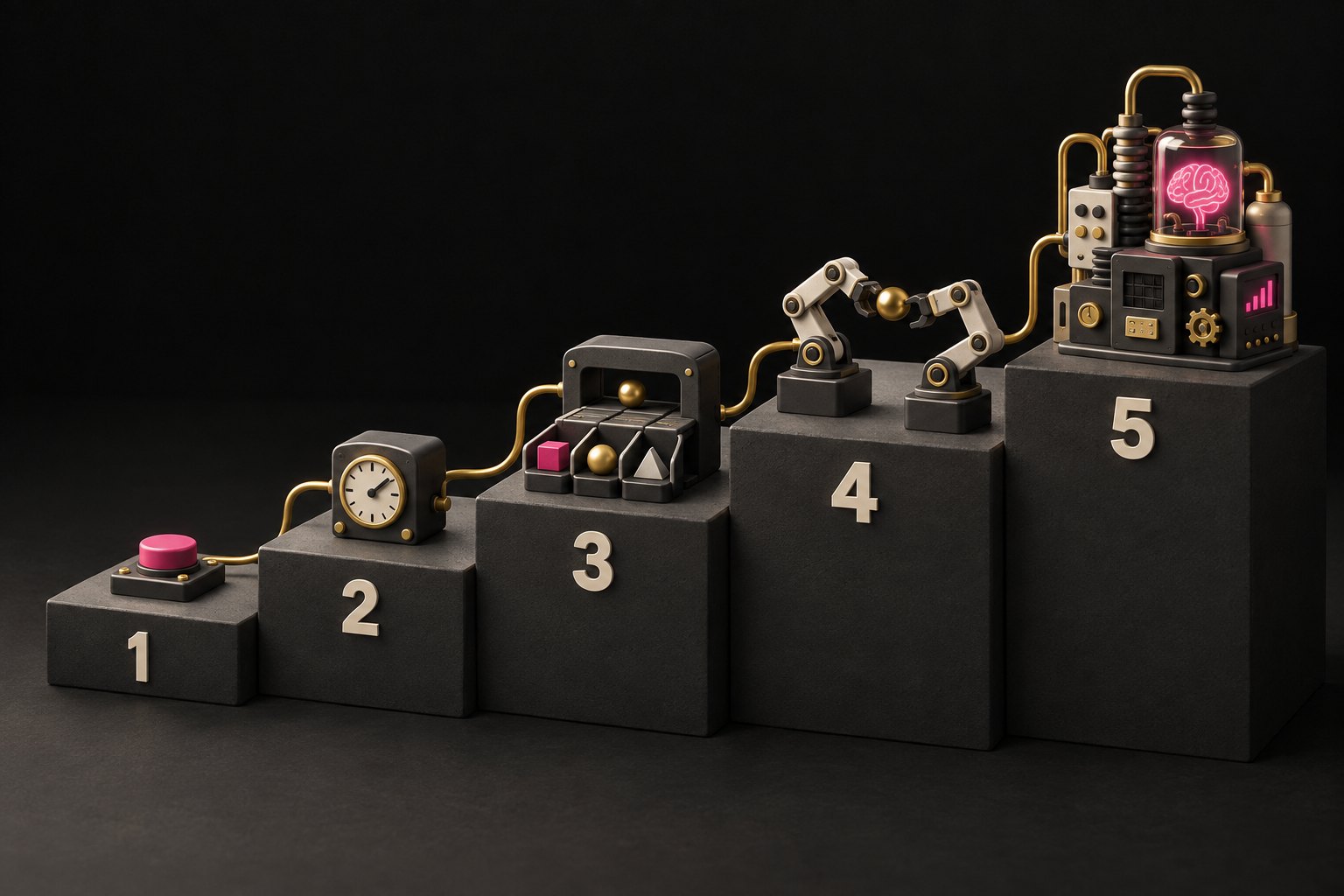
Level 1: If this, then that
The simplest possible automation. One trigger, one action.
1. The instant auto-reply
- When: someone fills in your contact form
- Then: send them an email saying "Got it, we'll be in touch today"
That's it. And it's already better than most of your competitors, who reply on Tuesday.
2. The "tell me now" alert
- When: a new enquiry comes in
- Then: send a WhatsApp to your phone with their name and what they asked
No more checking the inbox every ten minutes. It comes to you.
Level 2: Add a wait
Now we add time. The workflow pauses, then carries on.
3. Appointment reminders
- When: someone books an appointment
- Then: send a confirmation
- Wait until the day before, send a reminder
- Wait until two hours before, send a text
No-shows drop. You didn't lift a finger.
4. The review request
- When: a job is marked as complete
- Wait two days (let them enjoy it first)
- Then: ask for a Google review, with the link right there
Level 3: Add a check
Now the workflow asks a question before it acts. This is where it starts saving you from yourself.
5. The quote chaser
- When: a deal moves to "Quote sent"
- Wait two days
- Check: is it still sat on "Quote sent"?
- Yes: send a friendly follow-up
- No: they've already said yes (or no), so stop
The check is what stops you chasing someone who paid yesterday. Which is more embarrassing than not chasing at all. 🤦
6. The missed call text-back
- When: you miss a call
- Check: is it a new number, or someone we know?
- Then: text them straight away, "Sorry we missed you, what can we help with?", using their name if we have it
Someone who calls and gets nothing calls the next firm on Google. This one catches them before they do.
Level 4: Hand-offs between workflows
Now workflows start talking to each other. One finishes, another picks up.
7. Won, now onboard
- When: a deal is marked as won
- Then: tag them as a customer, tell the team, send the welcome email, and move them into your onboarding process
- That onboarding stage has its own workflow: first-week check-in, "how's it going?" at a month, review request at three months
Nobody falls through the gap between "sold" and "delivered". That gap is where most businesses lose people.
Level 5: Add AI
Here's the clever end. The AI does the reading, the workflow does the doing.
8. The self-sorting enquiry
- When: a message comes in, on any channel (WhatsApp, email, website chat)
- AI reads it: what's it about, is it urgent, is it a new customer or an existing one?
- Then the workflow acts on the answer:
- New sales enquiry → into the sales pipeline, reply drafted, salesperson told
- Existing customer with a problem → support task created, customer told we're on it
- Spam → quietly binned
- AI isn't sure → a human looks at it
That last line matters most. A good AI workflow knows when to ask.
How we build them
All eight live in the CRM, the same place as your contacts, calendar, pipeline and messages. That matters, because the workflow can see everything: who they are, what they've bought, whether they've booked.
A few house rules we stick to:
- Name them properly. "02 | Sales - Quote follow-up (48h)" beats "Copy of new workflow 3".
- One job each. If it doesn't fit on one screen, split it.
- Folders by area. Sales, bookings, onboarding, internal.
- Test with a fake contact before a real customer ever sees it. Every branch.
- Check it after launch. A workflow that says it ran and one that worked are two different things.
Where to start
Don't start at level 5. Start with number 1 or 2 this week. Then add a wait. Then a check.
In a month you'll have a business that replies instantly, chases politely and never forgets, and you'll wonder how you ever did it by hand. 💪