Collective booking calendars let you schedule meetings with multiple team members. By pulling together everyone's availability in one place, they make collaboration simpler and reduce the risk of missed information or last-minute rescheduling.
That said, there are times when you need to quickly remove an appointment from someone's calendar, or you have a large team where not everyone needs to attend every meeting but you don't want to set up a separate calendar for every possible combination. Dynamic Team Assignment handles both of those situations.
To use it, go to your Calendars tab and click the +New button to add an appointment.

Select the collective booking calendar you want to use.

Add the contact you'll be meeting with from the dropdown menu.

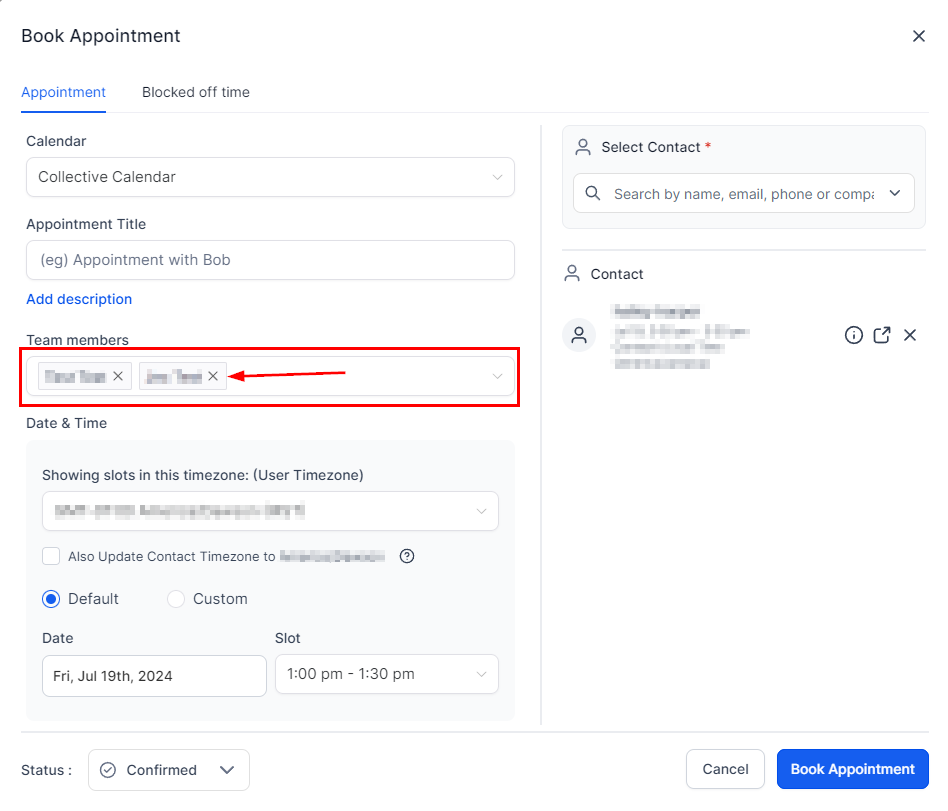
All calendar members will be selected by default. Click the X next to anyone's name to remove them.
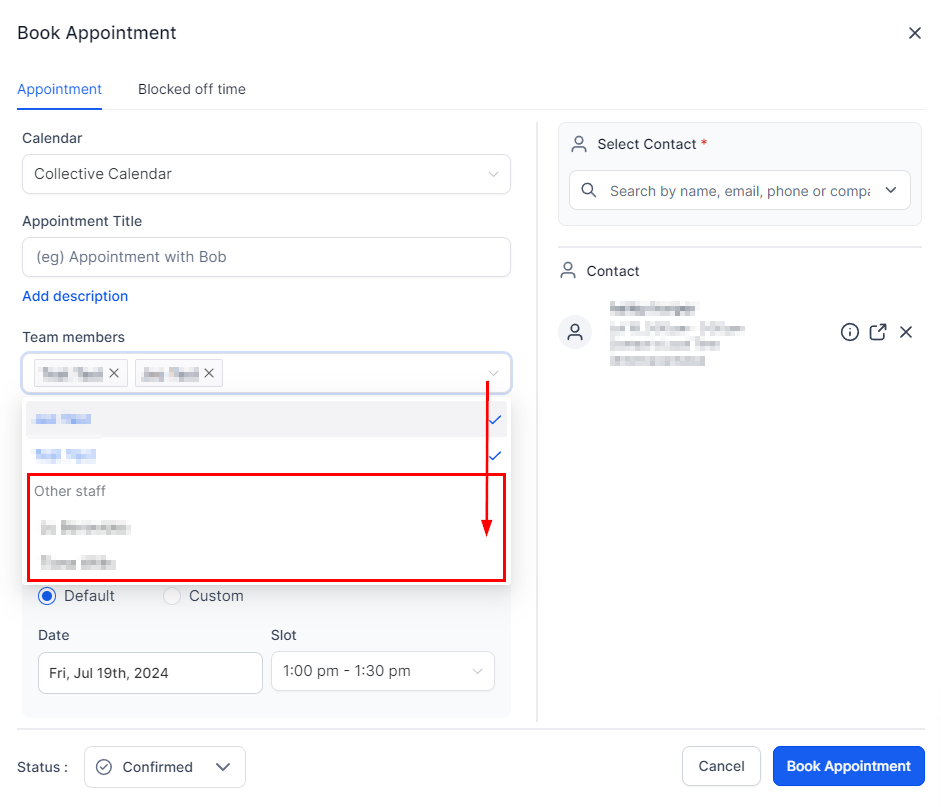
Under Other Staff, you can add team members who aren't part of the calendar.
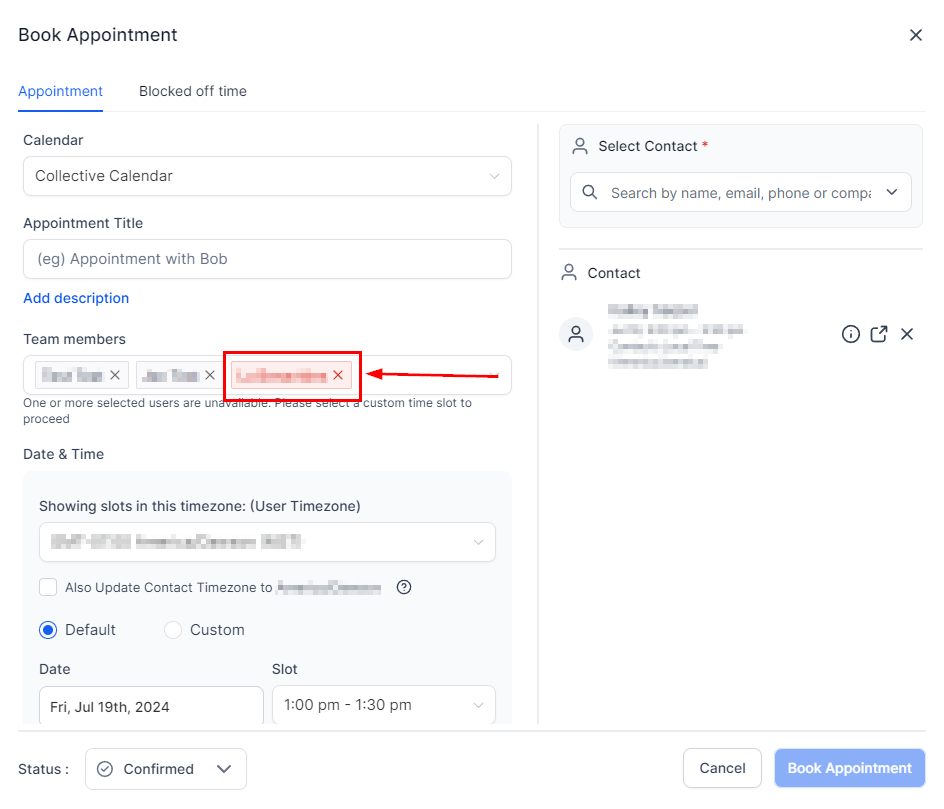
If someone you've selected isn't available, the system will flag this and highlight their name in red. You can then swap them out or add a custom time slot.
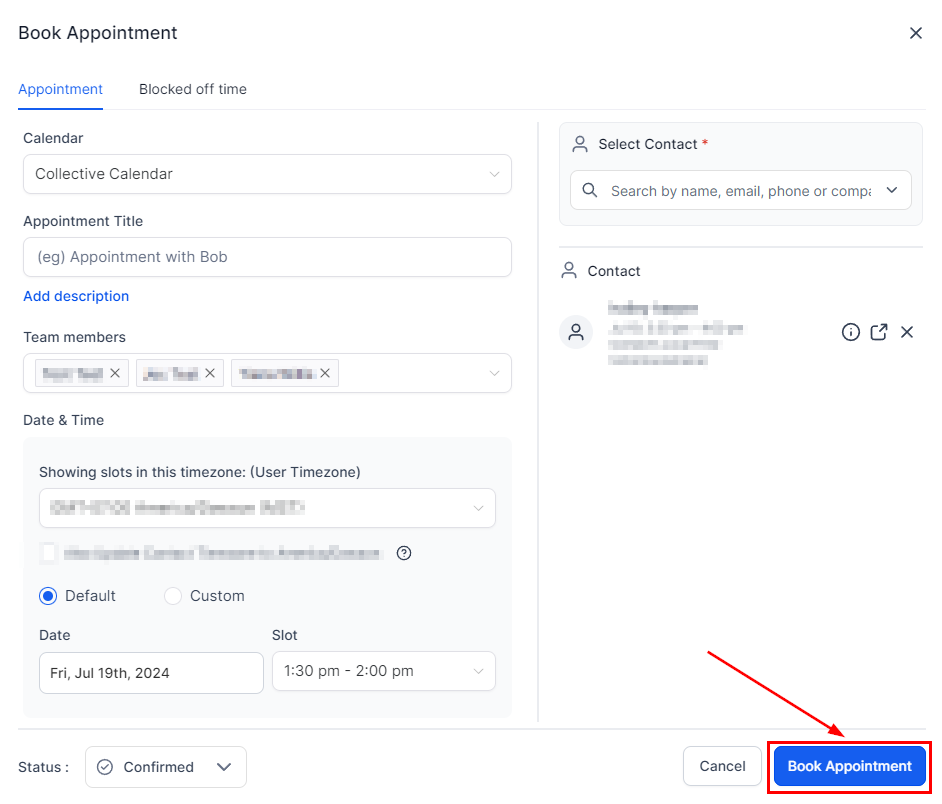
Once everyone is confirmed, click Book Appointment and you're done.
You can get the most out of a single calendar, give your team the flexibility they need, and add or remove teammates with ease.