Your Business Profile is what contacts see when they interact with you on WhatsApp. It shows everything from your business name to your address and website, helping to build trust, grow interest, and encourage engagement.
Customers can view your business profile by clicking your business name or number in a conversation thread, so it's worth keeping it up to date. You can do this from your Settings inside the CRM.
Updating your Profile
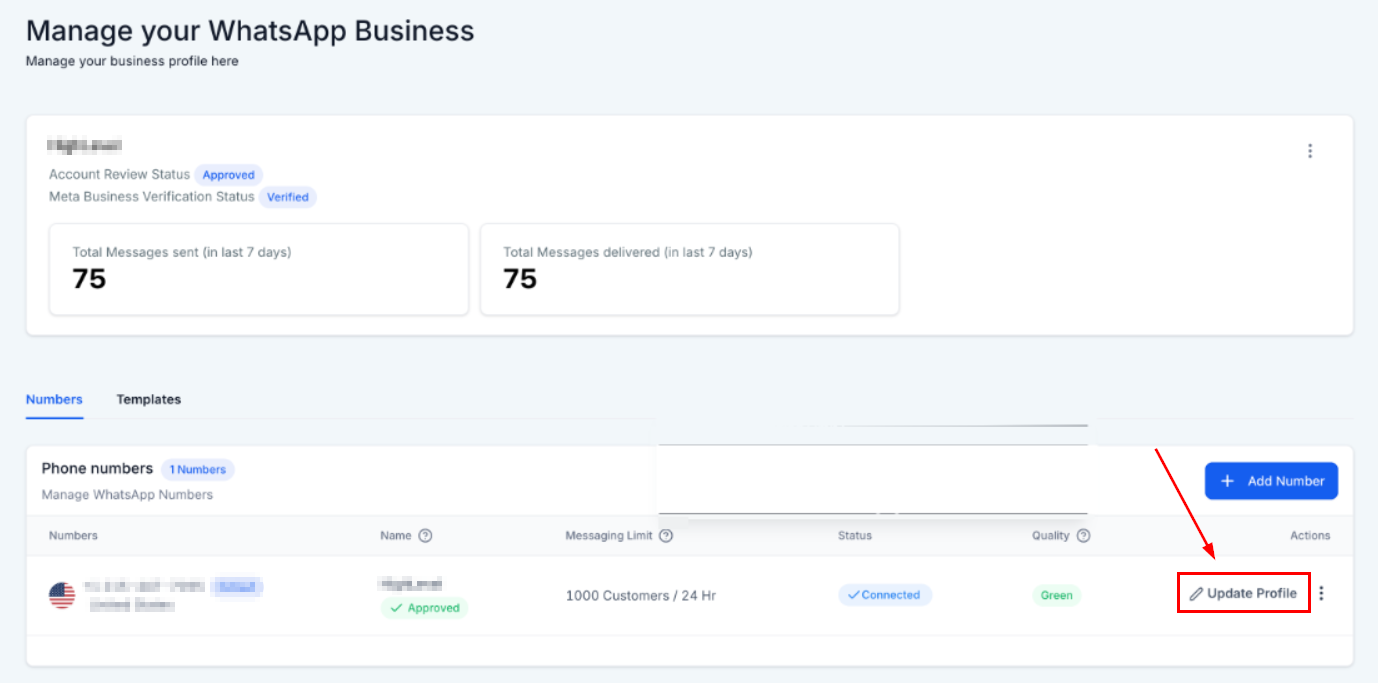
In the Numbers tab of your WhatsApp section, select Update Profile.
From here you can update your profile information. Click on any text to edit it. A preview on the right shows what your clients will see once you save.
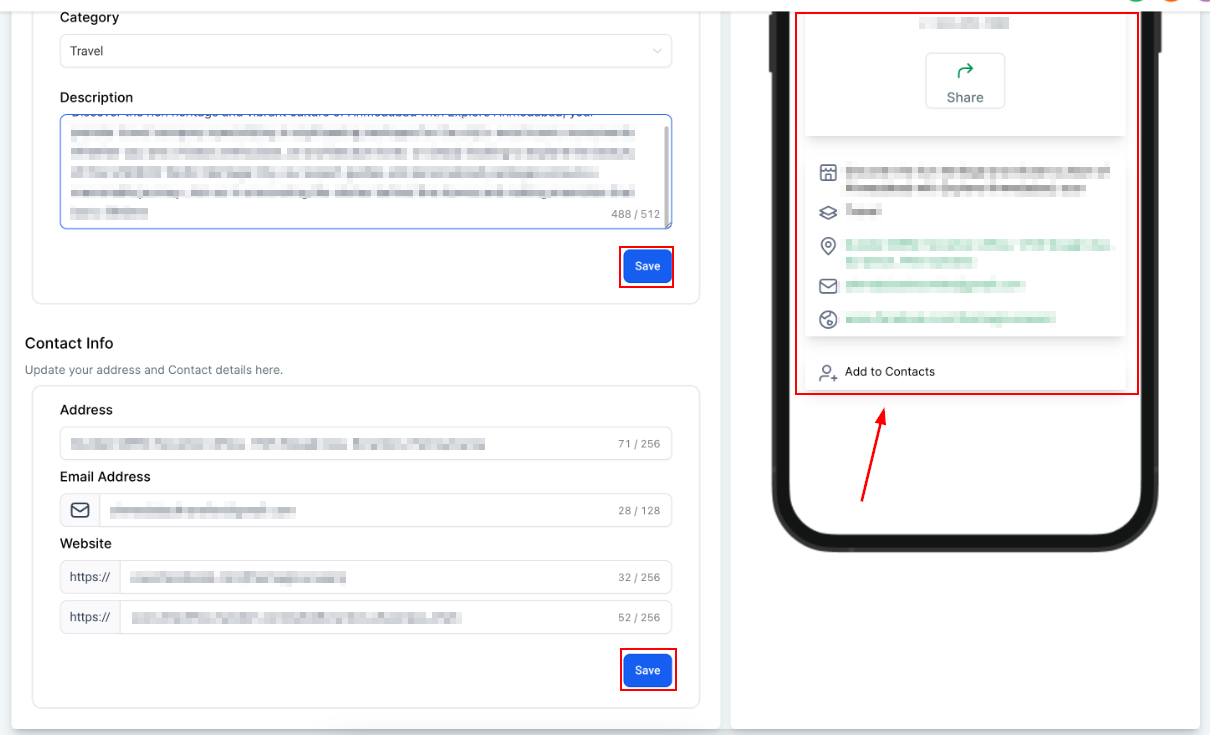
When you're happy with the changes, click Save at the bottom and you're done. Your WhatsApp profile will now stay fresh and up to date, all from within the CRM.