The Learning tab gives you another point of contact with your communities; that extra connection can turn a regular lurker into a proactive brand advocate. Courses let you create learning opportunities for your clients, offer extra value to your audience and, with paid offers, turn that audience attention into revenue.
Adding a Course
Admins and Owners can add courses to the Learning Tab by clicking "Add Courses". To get started, click +Add Course; this will open a pop-up window.

Select the Course you want to add from the dropdown menu.

Set the course visibility. You can allow all members open access, require members to reach a specific leaderboard level, set a one-time payment or subscription, or unlock access after a predefined duration following joining.

Once you've completed the steps above, click the "Add Course" button. The course will be added to your group and all community members will be able to access it.

Option Menu
Course offerings sometimes need to be updated, changed, or removed. Click the ellipsis icon on a course to open the options menu and manage it.

Notifications
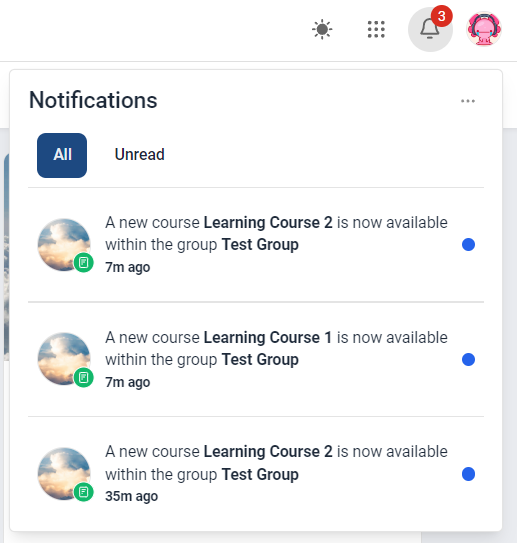
To make sure no one misses a new learning opportunity, all users receive an email notification whenever an admin or owner adds a new course to the group. This keeps your audience informed about the latest educational resources available.
That's all there is to know about the Learning tab. Make the most of this feature to build more lasting connections with your clients.