Managing opportunities efficiently helps you stay productive and get results. With bulk selection and multi-field updates, you can make multiple changes across opportunities in just a few clicks. This guide walks you through the process, so you can manage your pipelines and track bulk actions in Opportunities without any hassle.
Key Features
- Bulk Selection: Easily select multiple opportunities at once, either individually or by selecting all available options.
- Multi-Field Updates: Update or clear various fields, including standard fields such as Pipeline Name, Stage, or Owner, as well as custom fields, across multiple opportunities in just a few simple steps.
- Pipeline Management: Effortlessly move opportunities between pipelines without the risk of copying or losing any data.
- Bulk Action Monitoring: Track the progress of your bulk edits on the Bulk Actions page, where you can view success rates and identify any errors that may occur.
How To Use It?
Navigate to the Opportunities tab inside the Opportunities section.

The process to follow will vary depending on the view you're using.
In Kanban View
Hover over a contact card and click the box in the top right corner.

Select the opportunities you wish to edit.

Click edit at the top.

In List View
Choose multiple opportunities from the list.

Click edit at the top.

Select the fields you want to update and enter the new information.

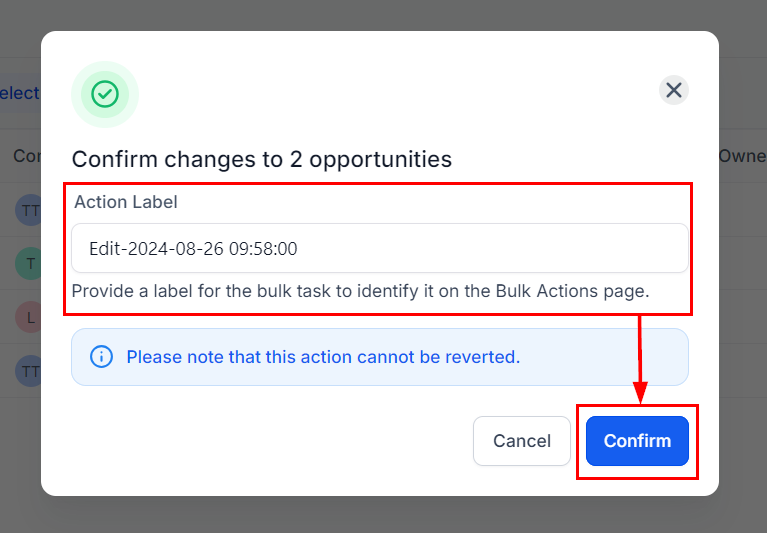
Assign a name to the Bulk Action for easy identification, then click Confirm to apply your changes.
Go to the Bulk Actions page to monitor the progress, review successes, and identify any errors.

By using these bulk features, you can save time and minimise errors when managing opportunities. Whether you're updating fields, moving opportunities between pipelines, or tracking progress, these tools are designed to improve your workflow and keep your data accurate.