The Contact Engagement Score gives a numerical value to how active a contact is. If they are interested in your business and responding to your campaigns, the number rises; if they go quiet, it falls. With the Contact Engagement Score Trigger, you can easily segment your contacts based on that score and focus your marketing on the group that needs it most.
This trigger in the contact section will start your workflow whenever a contact's engagement score changes.

By setting a filter, you can make it trigger on specific values. The parameters you can set are:
- Equal to a score: Adds all contacts whose score reaches or drops to that number.
- Not equal to a score: Adds all contacts whose score passes or drops from that number.
- Greater than a score: Adds all contacts who score higher than the specified number.
- Greater than or equal to a score: Contacts with the specified number and above get added.
- Less than a score: Adds all contacts who score lower than the specified number.
- Less than or equal to a score: Contacts with the specified number and below get added.
- Is empty
- Is not empty
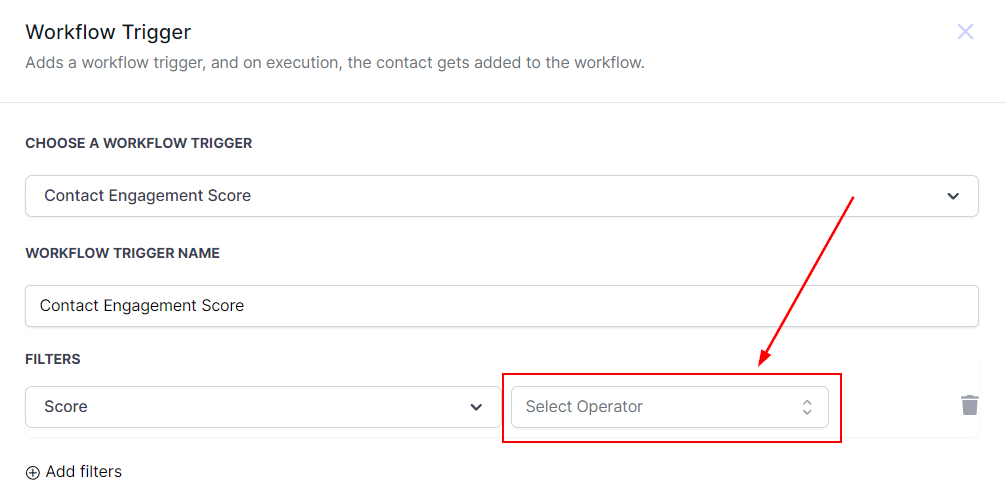
Options 1 through 6 are where you will spend most of your time, as they let you set a base number. Note that the lowest available number is 0.
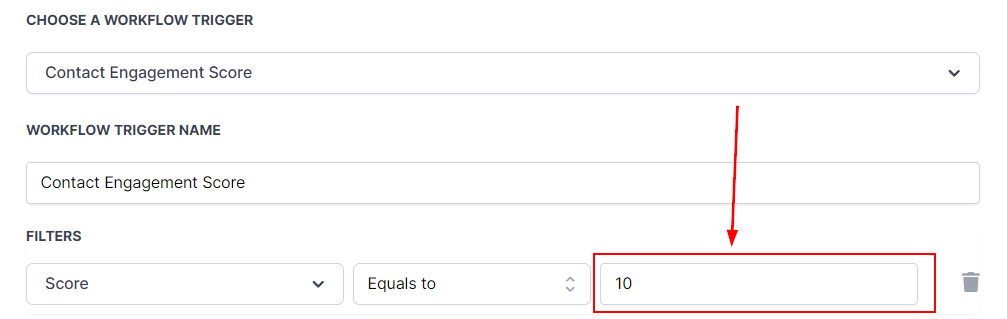
With that in place, you can start building your workflow to reward contacts who are engaging with your business, nurture those who may be losing interest, and keep your lists tidy. We hope this guide helps you get there.