The "Add Manual Sales For An Affiliate" action handles commission calculation for your affiliates automatically, based on the campaign's default settings. This keeps rewards timely and accurate without requiring constant manual verification. Once added to your workflow, you can manage affiliate-driven sales and keep commissions flowing for lead generation.
To set it up, add a new action to your workflow and select "Add Manual Sales For An Affiliate" from the action menu.

Action Name
Adjust the name of the action in this section to better reflect its intended purpose.

Auto-Track Affiliate Via Attribution
Enable this option to automatically allocate revenue to the correct affiliate using the affiliate ID in the passed URL, removing the need to create separate branches for each affiliate.

This automatically identifies affiliates through their ID in the URL, so you don't need to build separate branches for each one. It also ensures accurate commission tracking by calculating and assigning commissions according to the campaign's default settings.
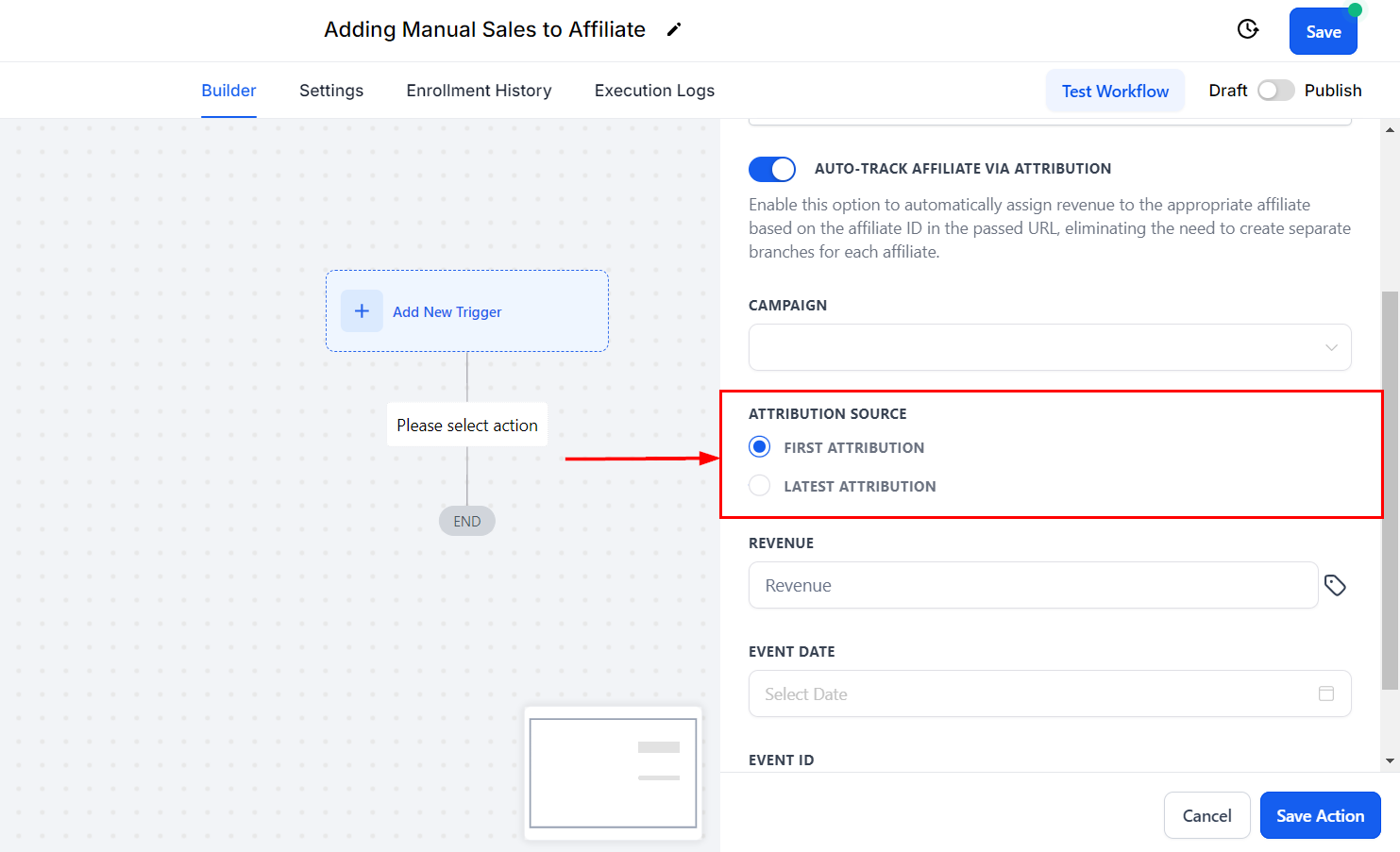
Attribution Source
If you enable the Auto-Track Affiliate Via Attribution feature, select whether to use the First or Latest Attribution.
✍️Recall:
- First Attribution refers to the initial interaction a contact has with our system. When this occurs, we record attribution data for that specific session. For example, when someone fills out a form, it marks their first interaction.
- Latest Attribution captures the most recent interaction a contact has with us. This data is recorded for the latest session. For instance, if after filling out a form, the contact later purchases a product through a Two-Step Order Form, the latest attribution data will be documented at that time.
Campaign
Select the affiliate campaign from the drop-down menu.

Affiliate
If you do not wish to enable the Auto-Track Affiliate Via Attribution feature, select the affiliate you want to assign the sales to.

Revenue
Set the revenue; this defines the amount the affiliate will receive for this commission.

Event Date
Set the event date (when the sale happened) and event ID. This helps you identify the commission source more clearly. You can leave these fields empty and the action will still work normally.

Save the action to finish. You can now automate recurring manual commissions, ensure that all sales are tracked (including those occurring offline), and reward affiliate engagement and promotion effectively.